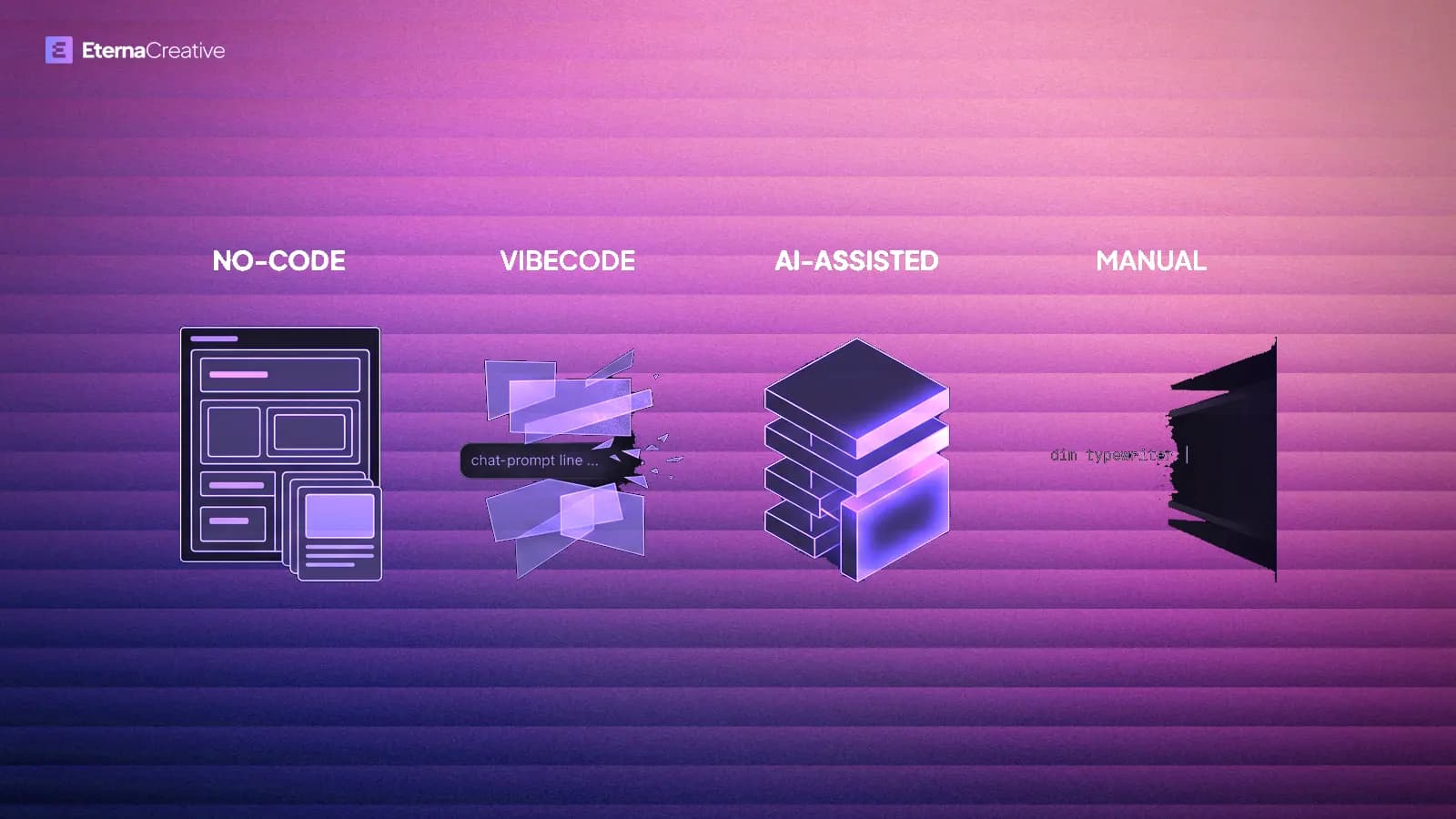
No-code suits speed to test, a smaller first budget and a product that fits the platform. If you will keep and grow the product, we recommend AI-assisted custom code: coding agents such as Claude Code or Cursor, a real Git repo, tests, and review. Time-to-first-version is no longer a huge gap. What you own in twelve months is.
TL;DR
- No-code (Bubble and similar): visual builders. Fine for a first version when nobody on the team will touch a repo. You own the app config, not the runtime.
- Vibe coding (vibecode): describe the app in English and ship what the model wrote, often without reading it. Fine for a throwaway demo. The usual failure is a real customer database with access rules switched off and nobody able to review the code.
- AI-assisted custom (Cursor / Claude Code, with rules): vibe-speed plus engineering. We recommend this one if you will keep and grow the product. Without tests and review it collapses back into vibecode.
- Manual custom: engineers, no agents. Still exists. Slower and more expensive for the same thin scope. We do not sell it.
- If you are unsure, start with the lightest build that teaches you something, and no-code is a good place to do that. If the product turns out to be one you will keep and grow, we recommend moving it onto an owned repo.
Four paths, not two
The old chooser was "Bubble or custom." That hid two different ways of writing code, and it treated no-code as the only fast option. In 2026 you are picking among four jobs.
No-code is a visual builder. You configure components and workflows. Bubble, Glide, Adalo, Retool. You do not export a normal codebase.
Vibe coding (vibecode, for short) is the term Andrej Karpathy coined in February 2025: you describe intent in natural language and let the model write the software, often without reading every line. Lovable, Bolt, v0, or Cursor used as a toy. Some of those tools can export React. Many demos never leave the vendor.
AI-assisted custom is agents on a real repo: Cursor, Claude Code, similar. The agents plan, write, and test. A human still owns architecture, review, and anything that touches money or customer data. Rules files, CI, and code review are the difference between this path and vibecode.
Manual custom is a team writing production software without coding agents, what most people mean by traditional development. It is how most studios billed five years ago. It is not how we build.
If nobody can explain the offer in one sentence, you do not need a stack argument yet. You need a thinner product - or a conversion site instead of an app.
No-code vs vibe coding vs AI-assisted vs manual
The table compares the four paths for a thin scope: auth, CRUD, one workflow, one dashboard. The only numbers stated are Eterna's own: application work starts from €3,000, and a focused first version is often 4-6 weeks. Exact scope lands on the call.
| No-code | Vibecode | AI-assisted custom | Manual custom | |
|---|---|---|---|---|
| Best first use | Speed to test, or a product that fits the platform | Throwaway demo this week | Product you will keep | Legacy teams; we do not sell this |
| Time to a first version | Speed to test when one non-technical person builds a simple app | Hours to a couple of days for a demo | Close to no-code for a thin scope; scope and judgment set the pace | The slowest of the four for the same scope |
| Cost profile | Lower up-front investment, then a platform plan that grows with usage | Very low for a demo; the expensive part is the rescue later | Higher up-front investment; hosting, database and model costs are separate | The highest of the four for the same scope |
| What you own | Config and data. Not the runtime. No real code export. | Sometimes exported React. Often trapped on the vendor. | The Git repo. You still pay hosting and the model vendor. | The repo, if they actually give it to you |
| Where it breaks | Workload units, plugins, SEO, one Bubble specialist | Auth, secrets, nobody can change the chat | No rules/tests - then it is vibecode | Cost, speed, silent rewrites |
| Skip if | You already know you must hire engineers next year | Customers will log in with real data | You have zero engineering judgment in the room | You are still finding out if anyone wants this |
Numbers for your own scope come from the call, not from a table. Full bands: Application, migration / rescue, and the cost calculator for apps, automations, and websites.
No-code
Best for a first version when the team will not live in Git. CRUD, permissions, a workflow, a dashboard. A non-technical operator can still move faster here than they can in Cursor, if nobody is helping them engineer.
The trade-off is the runtime. Bubble bills on Workload Units, a usage meter, on top of the plan fee. You can export data. You cannot pick up the box and leave. Workflows get re-implemented. "We outgrew Bubble" usually means performance, WU cost, SEO, mobile, or the one person who knew the canvas left.
Keep Bubble if it is already live and healthy. Do not start a new product there because it used to be the only fast path.
Vibe coding
Best for a demo you can throw away. Hours to a clickable thing. Useful when you need to see the idea, not when a customer stores a password.
The trade-off is production. The failures are predictable: row-level access rules switched off, so one customer can read another's data. Secrets left in the frontend. Diffs nobody can review. "Nobody can change it except the original chat."
If the Cursor window is the company, you do not have a product yet. You have a prototype that still needs an owner, tests, and a repo.
AI-assisted custom
Best for a product people will log into next quarter and next year. Agents write most of the boring code. You keep a Git repo, CI, review, and rules (AGENTS.md, design constraints, humans on money and customer comms). That is vibecode speed with engineering steps.
We recommend this for new application work when you will keep and grow the product: Claude Code agents on a real repo, not a room of people typing every line. At Eterna, a focused first version is still often 4-6 weeks, from €3,000, because scope and judgment are the bottleneck, not keystrokes.
The trade-off is discipline. Skip the rules and the tests and you are back on the vibecode path with a fancier IDE. You also pay hosting, database, auth, and monitoring separately. Bubble's all-in bill is simpler. The repo is the point.
The evidence is early and narrow. In a 2023 study (Peng et al., on arXiv), developers using GitHub Copilot finished one coding task, writing an HTTP server in JavaScript, 55.8% faster. That is one task in one study, not a forecast for your product. We are not waiting for a bigger study to stop selling manual custom.
Manual custom
Best for almost nobody buying a first version in 2026. If a studio quotes months for a mid-complexity SaaS and never mentions coding agents, you are paying 2022 prices for 2022 speed.
The trade-off they will not say: the work is slower, the work still gets rewritten by people who were not in the room, and the productivity from agents does not reach you. Public data does not prove manual-only teams are already a minority. It does not matter for how we staff. We do not sell that bill.
Is no-code still much faster?
Not in a way you should bet the company on. For a hired build on a thin scope, no-code and AI-assisted custom often land in overlapping weeks, not a different sport. Vibecode demos still win on hours. Manual teams still lose on months.
Compare like with like. Comparisons that put a toy no-code app against a wide custom build make the gap look bigger than it is. Same scope, the speed gap has shrunk. The ownership gap has not.
If you have no engineering help at all, Bubble can still be the shortest path to something you can click. If you are hiring a studio that already runs agents, do not pick no-code "for speed." Pick it only if you want the visual runtime on purpose.
What you own, and how you leave
Bubble: you own configuration and data. Migration is a rebuild of the logic, so time and cost depend on how much logic there is. AI-assisted work can cut both compared with a manual rewrite.
Vibecode platforms: some export React. Rescue is cheaper early than late, so do not wait for the invoice. Put the revenue path on a repo while the demo is still small.
Cursor / Claude Code on Git: you own the code. You still depend on the model vendor and on hosting. That is a vendor you can change without rebuilding the product from a canvas.
We rebuilt our own site from Bubble to Next.js in four weeks. The site was the bottleneck - identity and conversion - not a missing members area. That story is the Bubble to Next.js rebuild. A marketing site hitting a platform ceiling is a good reason to leave. A working internal Bubble app with no pain is not.
When hybrid is smart
You do not have to rewrite everything on Tuesday.
- Bubble plus Xano or Supabase when data and logic need to leave the canvas first
- A custom marketing site in front of a no-code or vibecode app when SEO is the hole
- A vibecode demo, then an AI-assisted rewrite of auth, payments, and the money path - keep the UI if it is honest
Hybrid is smart with a sunset date. Two systems with no owner is how you pay twice forever. See how rescue works if the prototype already escaped the lab. The migration guide has the stay / hybrid / full worksheet.
When each path actually wins
Picking the wrong stack early burns time and cash before you have signal. Pick the one that fits your stage, not the one that sounds most impressive. A quick gut check, in the order we ask on a first call:
- Need to learn what users do within weeks, with the scope still moving? A no-code or vibe-coded prototype, then decide what you keep.
- Need conversion, SEO and brand craft as the product? A custom website, not an app.
- Need workflows between tools more than a new app? Automation.
- Already live on Bubble or a vibe-coded app and hitting walls? Plan a phased migration.
- Hard performance or SEO requirements, unusual data models, or a product that must scale past a platform's ceiling? Custom code, with eyes open on cost.
Then cut scope with a single-feature MVP, and pick who builds with DIY, freelancer or studio.
Mistakes that waste the first month
Paying a manual custom team to sound serious before there are users. You will wait months to learn what a two-week prototype would have taught you.
Staying on no-code with no exit criteria, then blaming Bubble. Write the trigger now: WU bill, SEO, hiring, or "we cannot change this without one specialist."
Shipping the vibecode demo as the product. Customers in, Row Level Security off, nobody owns the chat. That is not an MVP. That is an incident waiting for a scanner.
Calling Cursor "custom" with no repo, no tests, and no review. That is vibecode with a better theme.
Rebuilding everything instead of the revenue path. Auth, payments, and the job people pay for first. The rest can wait.
Building an application when you needed a page that books a call. If they do not need to come back tomorrow, read the website vs application vs automation chooser before you pick a stack.
FAQ
No-code vs custom code vs vibe coding vs AI-assisted - which should I pick? No-code suits speed to test, a smaller first budget and a product that fits the platform, and vibecode suits a throwaway demo. If you will keep and grow the product, we recommend AI-assisted custom: agents, a repo, tests, review. Do not pay a manual team for a first version.
Is vibe coding the same as Cursor? No. Vibecode means you do not read the output. Cursor or Claude Code with rules, CI, and a human on the diff is a different job. Same tools can do both. The discipline is the product.
Is no-code still faster? For a non-technical person with no help, sometimes. For a hired build on a thin scope, Bubble and AI-assisted custom often land in overlapping weeks. Ownership is the gap that remains.
Can I export my Bubble app? Data, yes. The runtime and the workflows, no. Leaving is a rebuild of the logic, not a download.
Do you still build Bubble? Yes, when it fits the product: Bubble is the right call when speed to test or a smaller first budget comes first, and we migrate and rescue Bubble and vibecode apps when that is the job. For new application work you will keep and grow, we recommend AI-assisted custom code. Existing Bubble that is healthy can stay until a trigger hits.
How much does an application cost with you? Application work starts from €3,000 and a full product from €8,000, at a fixed price for the scope we agree. Larger builds get a free Blueprint before you commit. Exact scope lands on the call.
How to pick without locking the stack
If it is a demo, vibecode or no-code is enough. If customers will log in with real data, put it on a repo and run agents with rules. If a studio quotes you months and never mentions coding agents, you are buying the old bill.
Book a free strategy call if you want a second opinion on stack and scope - including when staying on Bubble is smarter than a rebuild. Rough bands: the cost calculator for apps, automations, and websites. Stuck already: see how rescue works. To see how we build new applications, start with our application service.