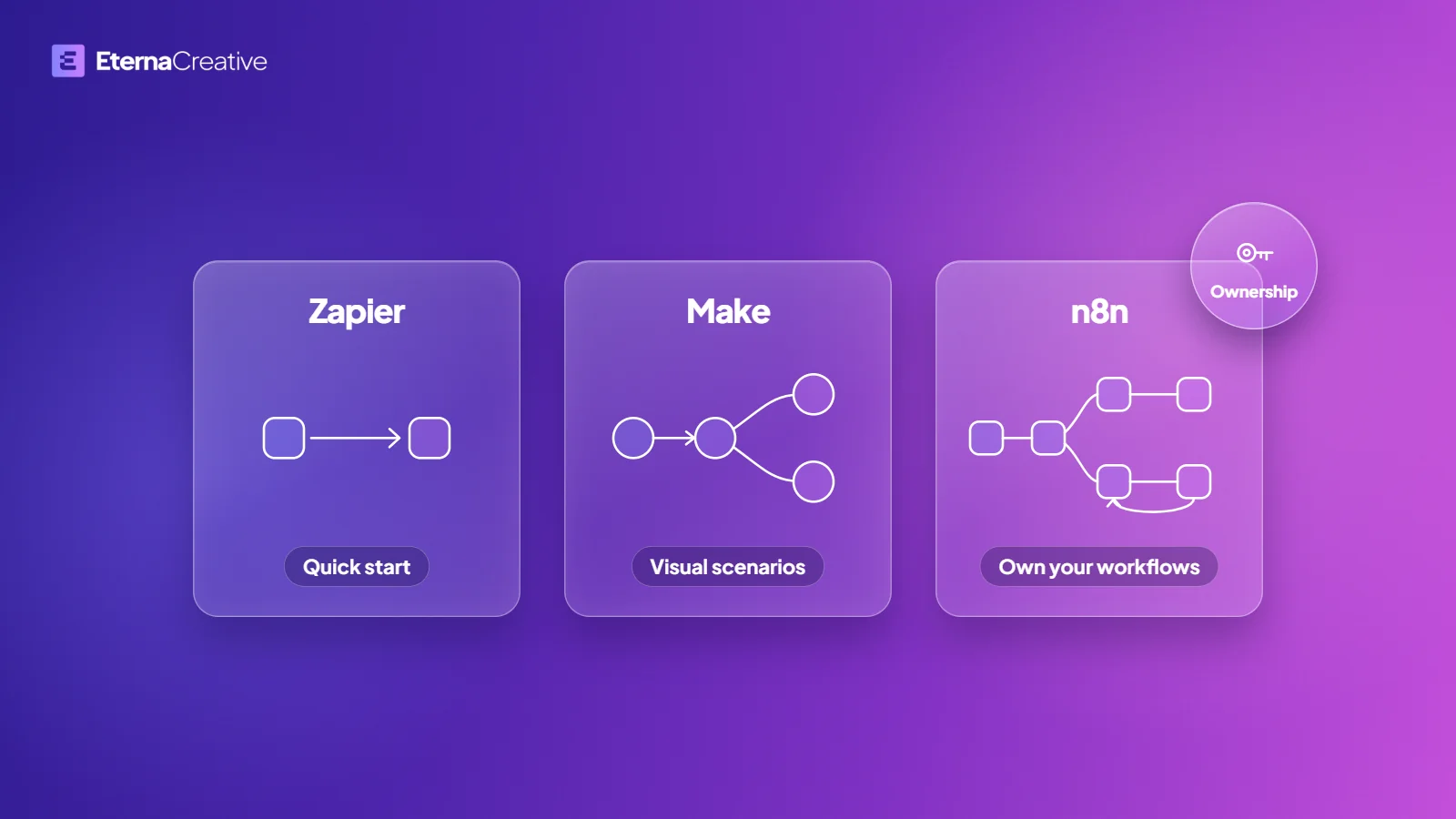
Choose n8n for quick, low-volume workflows. Choose custom code for workflows that fire on every message, run unattended at volume, or need limits and monitoring a workflow plan does not give. Decide by how the workflow runs, not by which tool you prefer. In the free Blueprint, we recommend one and say what the other gives up.
This guide compares 4 ways to build an automation that has to keep running: a workflow tool, an agent framework, code on a queue or durable-execution service, and custom code you own. It uses each vendor's own documentation, read in October 2026, and what we learned moving the tracking loop of Zonik AI, a logistics product we co-founded, from n8n workflows into a custom application. To have the workflow built for you, see how we build automations.
TL;DR
- A workflow tool such as n8n, Make, or Zapier suits speed to test, a smaller first budget, a workflow that fits the tool, and a team that already works in it. The 3 bill in different units, so compare what each one counts before you compare prices.
- Code suits workflows that fire on every message, run unattended at volume, or need limits and monitoring that a workflow plan does not give.
- An agent framework such as LangGraph is for the case where the model chooses the path. If you can draw the steps in advance, you do not need one.
- Queue and durable-execution services such as Temporal, Inngest, Trigger.dev, and Upstash QStash take retries, schedules, and long-running work off your hands, and you write the logic.
- Our own move: the tracking loop of Zonik AI, a logistics product we co-founded, started as n8n workflows and moved into a custom application (what we learned).
- Check that the tool is still maintained. Flowise was archived in August 2026, and Pipedream's workflows are shutting down in March 2027 (details below).
What are you choosing between?
There are 4 paths, and teams usually know only the first.
- Workflow tools (no-code or low-code): n8n, Make, and Zapier. You build on a visual canvas, the vendor or your own server runs it, and the plan decides your limits.
- Agent frameworks: libraries such as LangGraph, and the agent toolkits from OpenAI, Anthropic, and Microsoft. You write code, and the model can decide which step comes next.
- Code on a queue or durable-execution service: Temporal, Inngest, Trigger.dev, and Upstash QStash are examples. You write the logic, and the service handles retries, schedules, and waiting.
- Custom code: your own application, routes and jobs, in a repository you control.
A fixed path is a workflow, and an agent chooses its own path. Anthropic draws that line in its guide to building effective agents (published December 19, 2024, read October 2026; the page itself notes that much of the tooling it describes has changed since December 2024): in a workflow, the steps are laid out in code in advance, and in an agent, the model decides its own steps and its use of tools. Business automations are usually the first kind, even when an AI model does one step inside them.
How do the four paths compare?
The table shows what each path gives you and what you build yourself. It has no prices, because prices change and the 3 workflow tools bill in different units.
| Workflow tool | Agent framework | Queue or durable-execution service | Custom code | |
|---|---|---|---|---|
| Examples | n8n, Make, Zapier | LangGraph, OpenAI Agents SDK, Claude Agent SDK, Microsoft Agent Framework | Temporal, Inngest, Trigger.dev, Upstash QStash | Your own application and jobs |
| Who decides the path | You, on a canvas | The model can | You, in code | You, in code |
| What comes built in | Connectors, a visual editor, run history, some error handling | State and tool calling, with approval hooks and tracing in some | Retries, schedules, waiting, step history | Whatever you choose to add |
| What you build yourself | The workflow itself, within the limits of the plan | The agent logic, tests, and hosting | The logic, tests, and deployment | The application, its tests, and its hosting |
| How it is billed | By run, task, or credit, differently for each tool | Code you write against a library; any hosted runtime and the model's use are billed on top | A self-hosted option, a usage-based cloud plan, or a queue billed by messages, depending on the service | Your own hosting |
| Where the logic lives | A canvas | A repository | A repository | A repository |
Where do agent frameworks like LangGraph fit?
An agent framework earns its place when the model has to decide what happens next, when the work needs state that lasts across many steps, or when a person has to approve something in the middle of a run. LangGraph, for example, is a library for building long-running agents that keep state, at a low level of abstraction. It is released under the MIT license, and LangChain also sells a managed runtime for it, called LangSmith Deployment (both read October 2026).
If you can list the steps in advance, a framework adds code you have to own and test. Anthropic's advice for building with models is to look for "the simplest solution possible" and add complexity only when it is needed. Microsoft's architecture guide for AI agents gives the same advice in its own terms: pick the simplest level that does the job, and skip the agent when a well-written prompt is enough (both read October 2026). Neither guide is about n8n against code. Both are about how much agent a task needs.
When is a workflow tool the right pick?
A workflow tool is the right pick when speed to test matters, the first budget is small, the workflow fits the tool, or your team already works in it. n8n suits quick, low-volume workflows. A person can see every step on the canvas, and if a daily summary fails once, nobody loses a customer. Zapier suits a linear workflow between tools it already connects, and Make suits visual branching. The n8n vs Make vs Zapier guide goes through that choice, with each vendor's pricing page and the date checked.
When is custom code the right pick?
Custom code is the right pick when a workflow fires on every message, runs unattended at volume, or needs limits and monitoring that a workflow plan does not give, or when you will keep and grow the product.
Code does not mean writing everything yourself. Each vendor below describes its own product, and the descriptions were read in October 2026. Temporal describes itself as a durable execution platform. Inngest says its durable functions replace queues, state management, and scheduling. Trigger.dev describes itself as an open-source platform for long-running tasks with retries, queues, and observability. Upstash QStash says it sits between your code and an API to guarantee delivery and retry on failure. In each case, you write the logic and the service runs the plumbing, and you take on a vendor or a server to look after.
3 questions to ask before you choose
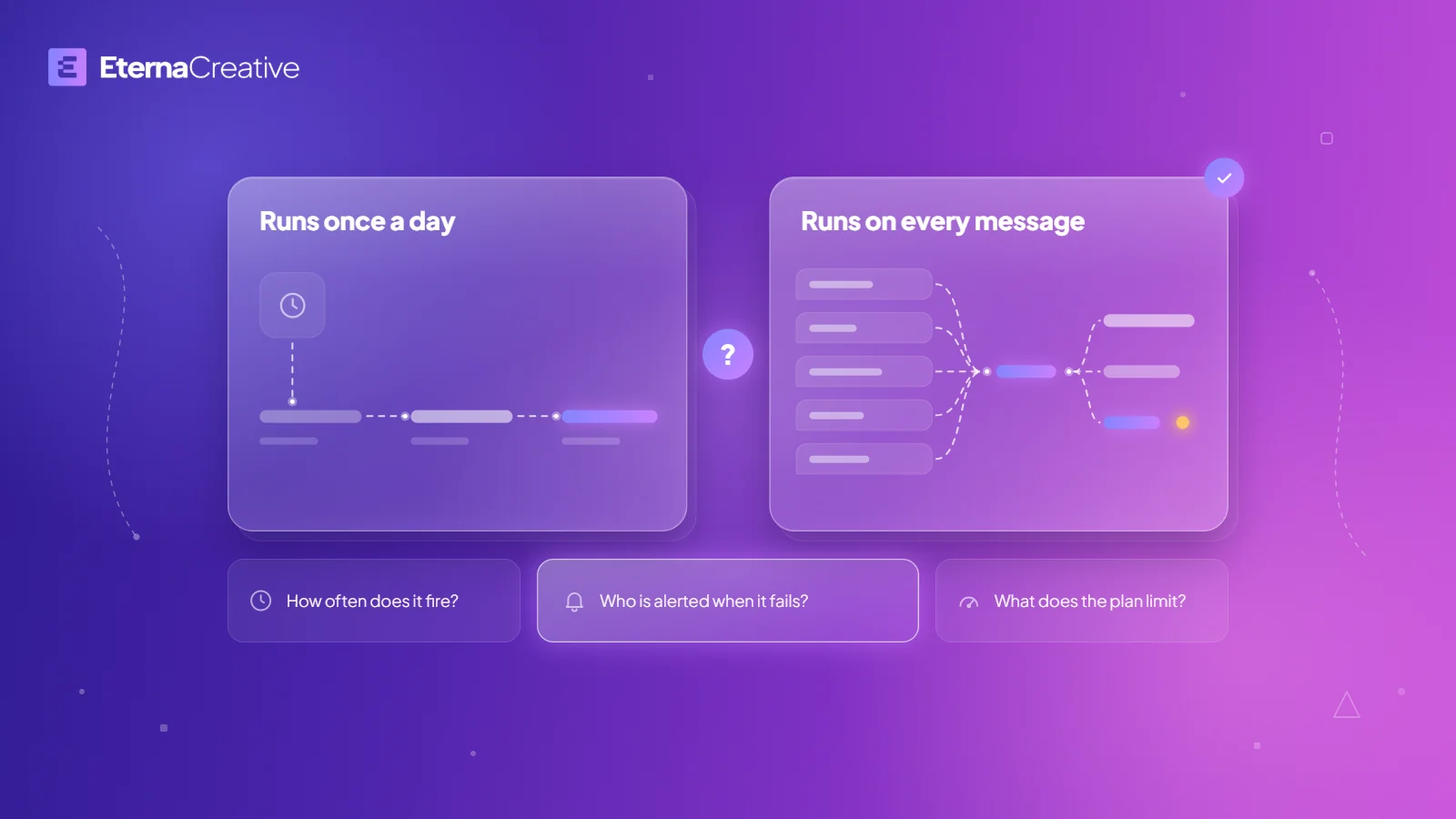
- How often does it fire, and what starts it? A schedule, a button, or every inbound message?
- Who is alerted when it fails, and have you tested that alert? A workflow that fails silently is worse than one that fails loudly.
- What does the plan limit, and what happens when you reach it?
The third question has a different answer for each tool, so read what each vendor counts.
- n8n counts one execution per run of a workflow. Paid plans, on Cloud or self-hosted, have an execution quota, and only production executions count towards it: runs started by a trigger, a schedule, or polling. Running a workflow from the editor to test it does not count, and neither do sub-workflows, error workflows, or polls that return no data. At the quota, n8n's pricing page says your workflows continue running, and overage charges may apply if you do not move to the next tier (n8n docs and pricing, read October 2026).
- Zapier counts successful actions as tasks. Trigger steps, Filter and Paths steps, and actions that error or halt do not count (Zapier help center, page updated August 21, 2026, read October 2026).
- Make counts credits. By default, one module run is one credit, and some AI modules use more (Make help center, read October 2026).
In the pages we read in October 2026, none of the 3 vendors says whether delivery-status events, such as a read receipt from a messaging service, count as runs. If your workflow fires on every message, ask the vendor before you build it.
What does each path give up?
- A workflow tool keeps you inside the platform's limits and plans.
- Custom code means a higher up-front investment, and it is code you own and are not locked to a platform for.
- An agent framework is code too, so someone has to write, test, and look after it, and the model may take a path you did not draw.
- A queue or durable-execution service is also code, and adds a vendor or a server that your jobs depend on.
What did we learn moving a product from n8n to code?
Zonik AI is a logistics product we co-founded. Its tracking loop started as n8n workflows and moved into a custom application with the same job. By then the flows were getting longer and more complex, and we wanted our own code.
Starting in n8n helped. The loop has a lot of statuses and assessments, and building the full logic there let the team member who built it understand every step before any code existed. Moving to code meant learning how to structure the loop with different tools. Today it is ordinary code in its own repository, with automated tests, and every change is reviewed before it goes live.
We would build in the same order again: the full logic first in a workflow tool, then code once it is business-critical and keeps growing. That is what our team learned from one product, not a measured result, and the choice for your workflow still comes from how it runs, as above.
Is the tool still maintained?
Check before you build on it. Flowise, a visual builder for AI agents, was archived by its owner on August 13, 2026, and its team's presence was due to end on August 31, 2026 (Flowise on GitHub, read October 2026). Pipedream's documentation says its workflows and String are shutting down on March 31, 2027 (Pipedream docs, read October 2026). Whatever you pick, look at the vendor's page or the repository for the date of the last release.
How do we choose?
We use both. Lead Agents, a client, has live n8n systems. Zonik AI, a logistics product we co-founded, moved its tracking loop from n8n workflows into a custom application with the same job, as described above. We recommend one path for each project and say what the other gives up, in the free Blueprint, before you commit. For the rules we build by, read how we build with AI.
What does it cost to start?
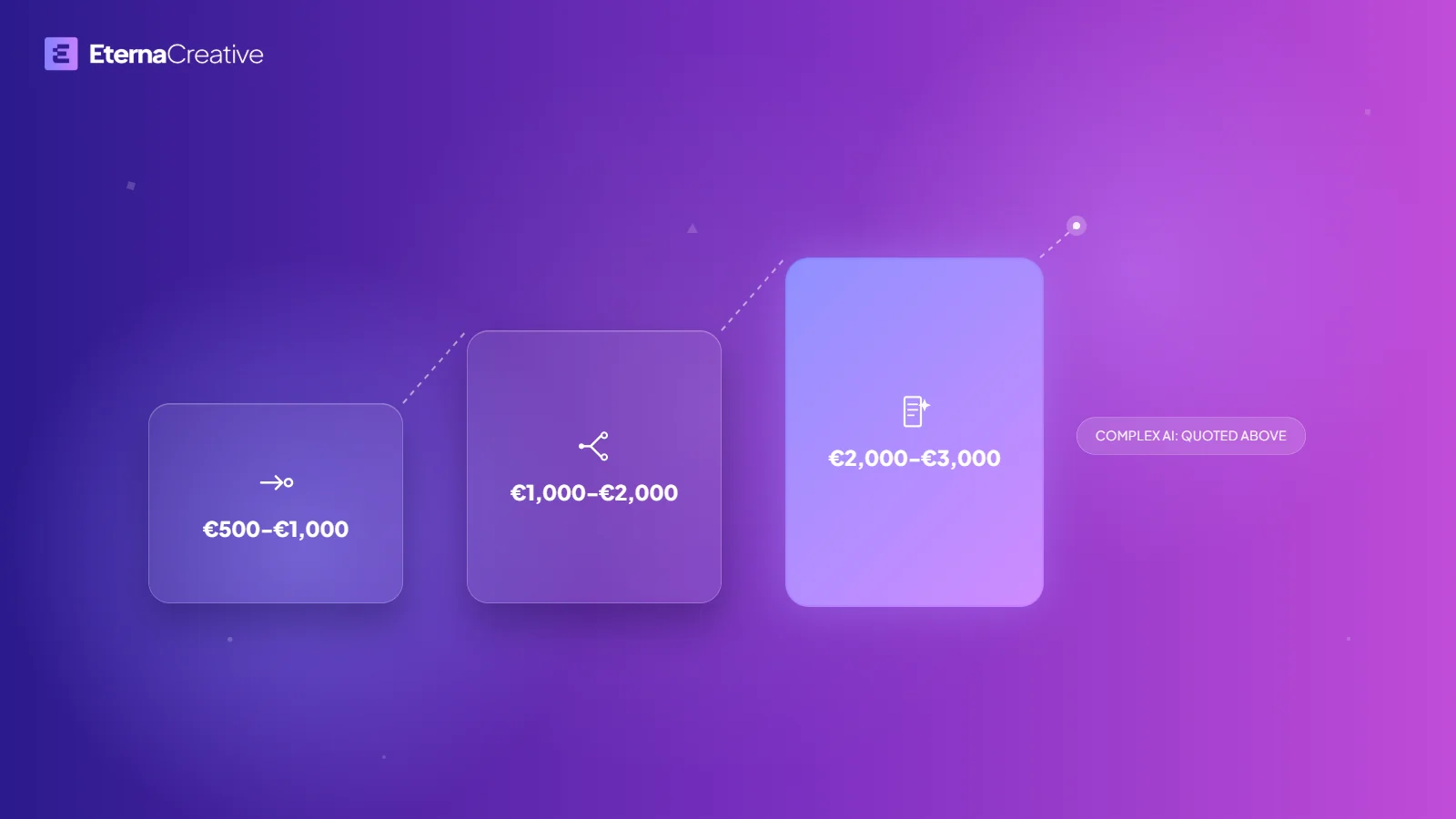
A single automation from us starts at €500, in 3 ranges by complexity: €500 to €1,000, €1,000 to €2,000, and €2,000 to €3,000. Automations with complex AI inside are quoted above €3,000. The ranges apply to a single automation, and the Blueprint shows the total for your scope. On a single automation, maintenance after launch is priced separately, and we always offer it. Ongoing work runs as a monthly program, at €800 a month for 3 automations a year, €1,500 for 6, or €2,500 for 12, with build and maintenance included over 12 months. For the full picture, see how much business automation costs in 2026.
FAQ
Can I start in n8n and move to code later?
Yes, though moving means rebuilding the logic in code. Zonik AI, a logistics product we co-founded, started its tracking loop in n8n and later moved it into a custom application with the same job.
Does a workflow that fires on every message belong in n8n?
n8n suits quick, low-volume workflows. For workflows that fire on every message, run unattended at volume, or need limits and monitoring that a workflow tool's plan does not give, we recommend custom code.
Do I need LangGraph or another agent framework?
Only if the model has to choose the path. If you can write the steps down in advance, a workflow tool or plain code is enough, and a framework adds code you have to own.
Do I own it either way?
You own the code, workflows, accounts and documentation.
Is self-hosted n8n different from n8n Cloud?
According to n8n's pricing page and license FAQ, both read in October 2026, n8n Cloud bills by workflow execution on its plans, and the Community Edition is free to self-host under the Sustainable Use License, which allows use for your own internal business purposes. The FAQ also says running n8n for clients on your own instance is permitted if the clients do not access the instance directly, so read it before you build for someone else.
Who monitors it after launch?
When something breaks, an alert goes to a named person, and we trigger each alert on purpose before we call the work done. After launch, we stay close and always provide ongoing maintenance and support. On a single automation, maintenance is priced separately, and the monthly program includes it.
The verdict
Decide by how the workflow runs. Start with the simplest thing that fits, ask the 3 questions, and move to code when the workflow fires on every message, runs unattended at volume, or needs limits and monitoring that the plan does not give. To see how we build automations, read about our automation service. If you want a second opinion on a specific workflow, book a free audit call.