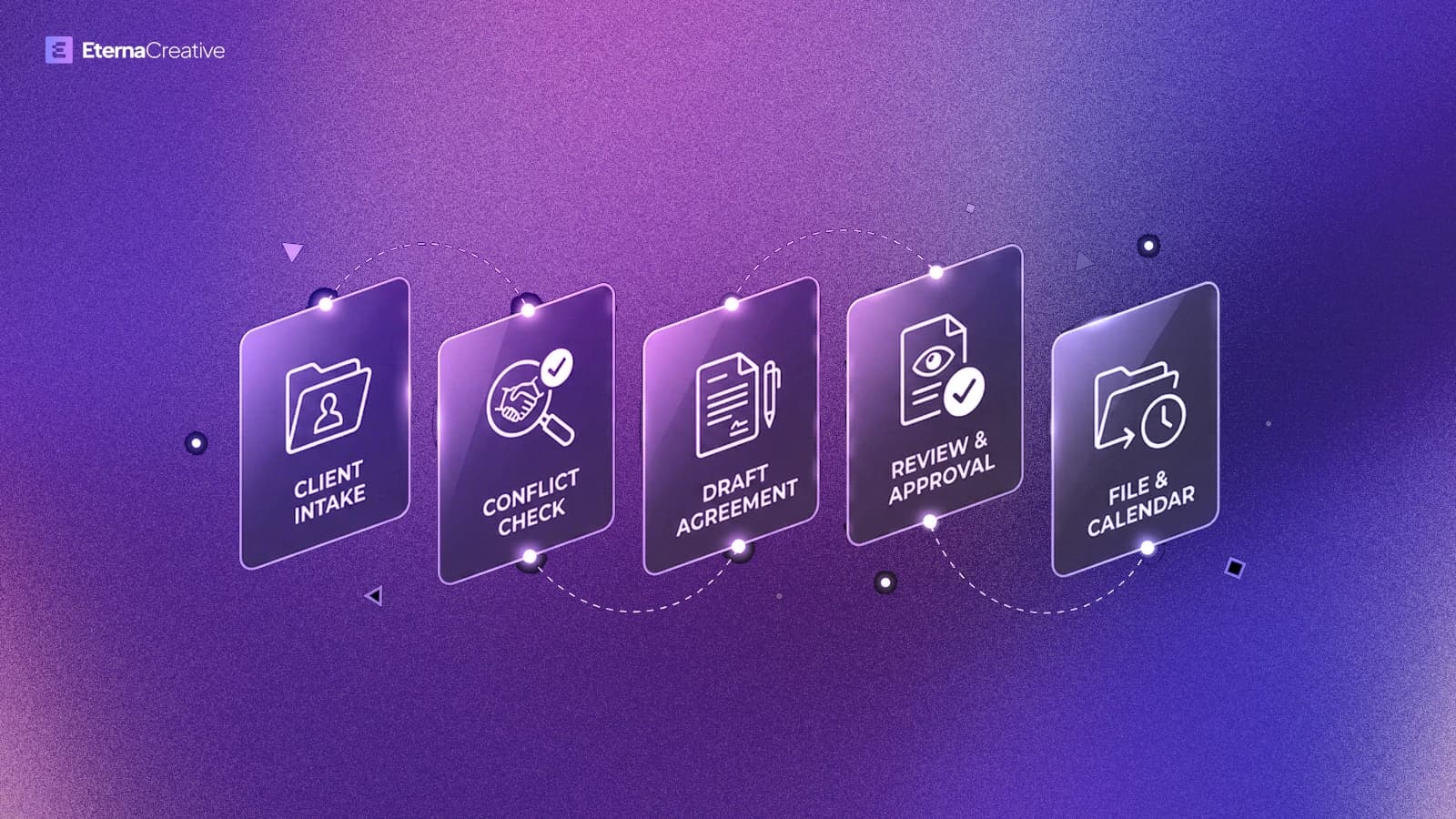
Most firms do not need twenty workflows. They need five that stop retyping and chasing, so lawyers decide on prepared work. Start with same-day intake acknowledgement, then conflict and fit, then document packs, then status, then deadline watch. Do not buy a legal-AI roundup first.
TL;DR
- Automate the funnel stages that burn hours, not "AI for lawyers" as a vibe.
- Start with capture and acknowledgement, then fit/conflict, then document packs, then status, then deadline watch.
- AI prepares the file; the lawyer decides. Approval stays human where judgment matters.
- Run the law firm operations diagnostic before you buy another tool. Book a free automation audit when you want real numbers.
Why order beats volume
If you try to automate twenty processes in month one, you usually automate noise. Sequence matters more than the wishlist.
Walk the funnel: Attract → Capture → Quote → Onboard → Deliver → Status → Support → Bill → Deadlines. The five below are the usual first wins when the practice is drowning in email and last year's Word file.
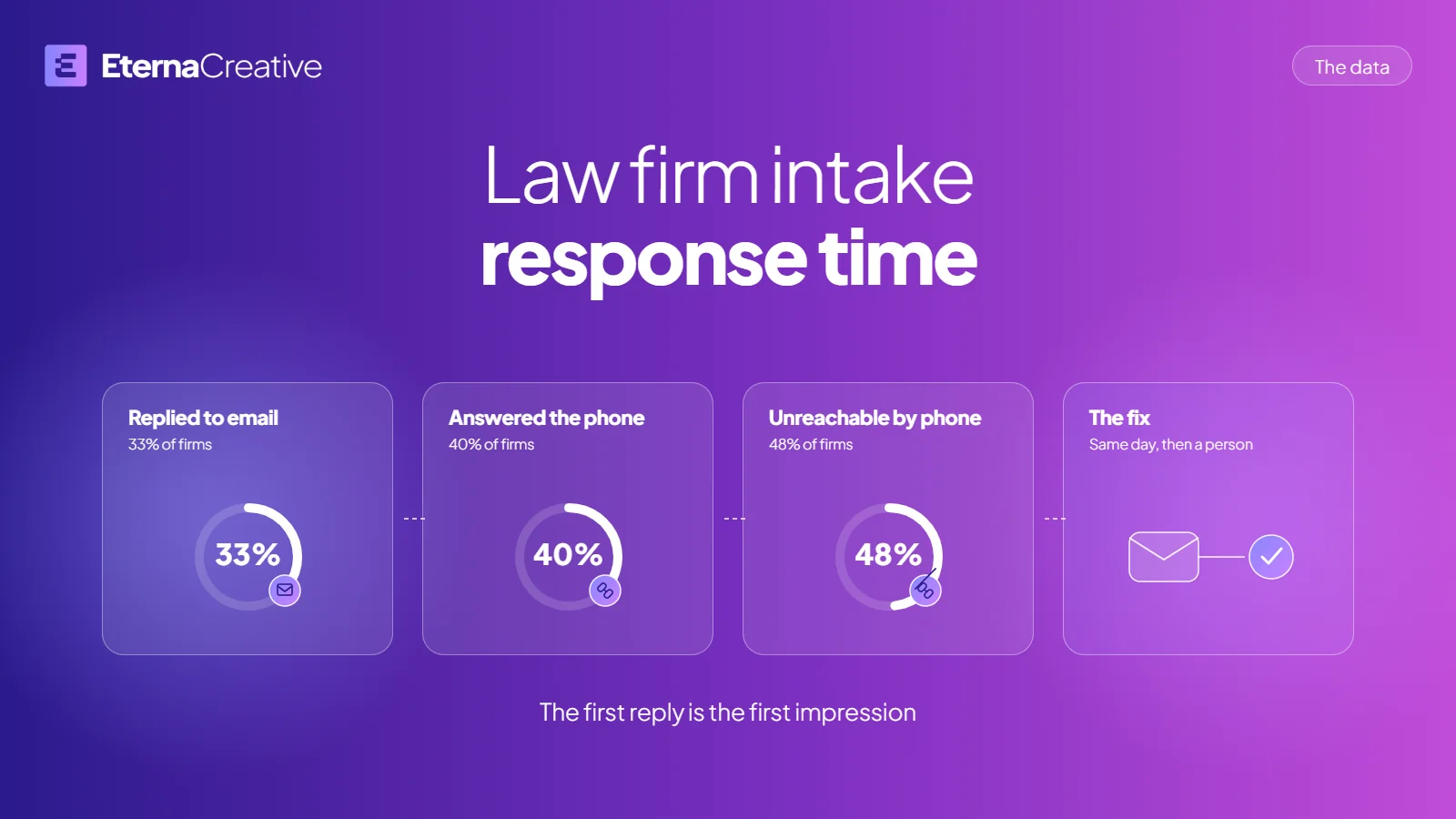
Clio's 2024 Legal Trends Report found only 33% of firms replied to an emailed inquiry and 48% were unreachable by phone at all. That is why intake goes first: every automation below inherits the delay if the first reply never arrives. See the full numbers on law firm intake response time for what slow intake costs and the smallest fix.
1. Same-day intake acknowledgement
Enquiries should not sit in a shared inbox until someone has time. After-hours should not wait until morning. There should be an automatic "we got it."
Build: structured capture from web or email, same-day acknowledgement, fields that land in the system of record - not a second spreadsheet.
Why first: every later automation is weaker if the matter starts as an unread thread.
2. Conflict / fit that is not in someone's head
Qualification should not live in memory. Conflict checks should not be "I think we are clear." Slow response loses the work.
Build: a lightweight fit / conflict checklist that runs before a lawyer spends billable time guessing. The lawyer still decides who to take.
Why second: you stop spending senior hours on matters you should have declined on day one.
3. Document and pack assembly
Packs should not start by copying an old file and hoping the clauses are current. Local court forms should not be filled by hand. The same facts should not be typed in more than one place.
Build: firm-template and local-form assembly with lawyer approval before anything leaves the firm.
Why third: this is where hours hide - and where "AI prepares; lawyer decides" is literal.
4. Status without rewriting the same reply
"Where is this?" should not eat the day. Updates should not be written from scratch every time. Clients should have a place to see progress themselves when that fits the matter.
Build: status answers from the matter record, and - when it fits - a client view so obvious questions never become email.
Why fourth: delivery quality is already there. Communication debt is what burns the team.
5. Deadline and exception watch
Deadline tracking should not depend on someone remembering. Exceptions should not surface after they are already late. Handoffs should not live in chat and get lost.
Build: watches and alerts before something is already late - not another dashboard nobody opens.
Why fifth: once intake and packs are cleaner, exception noise becomes visible instead of constant.
What not to automate first
Do not start with a chatbot that answers legal questions. Do not start twenty builds because the backlog is fat.
- Replacing lawyer judgment with a chatbot that "answers legal questions."
- Twenty parallel builds because the backlog is fat - that is months of program work, not week one.
- Personal GenAI tips dressed up as firm automation. Firm systems need ownership, logging, and approval.
FAQ
Which automation should a law firm do first? Same-day intake acknowledgement. If the matter starts as an unread thread, conflict checks, packs, and status all sit on a hole.
Can we automate legal advice? No. AI prepares the file. The lawyer decides. Anything that leaves the firm still needs a human on it.
Why not do all five at once? Because twenty processes in month one is how you automate noise. One live workflow that pays back beats a folder of half-built recipes.
What is the diagnostic vs the audit? The public diagnostic is a funnel tick-list with rough hours in 40 / 70 / 90% bands at a €20/h planning rate - not a full audit. The free automation audit is where you get numbers that match your practice.
Map your funnel next
Tick what still happens by hand across Attract → Bill. The public diagnostic gives rough hours in 40 / 70 / 90% bands at a €20/h planning rate - not a full audit.
Run the law firm diagnostic · Download the checklist (.md) · Evidence brief (.docx) · Book a free automation audit
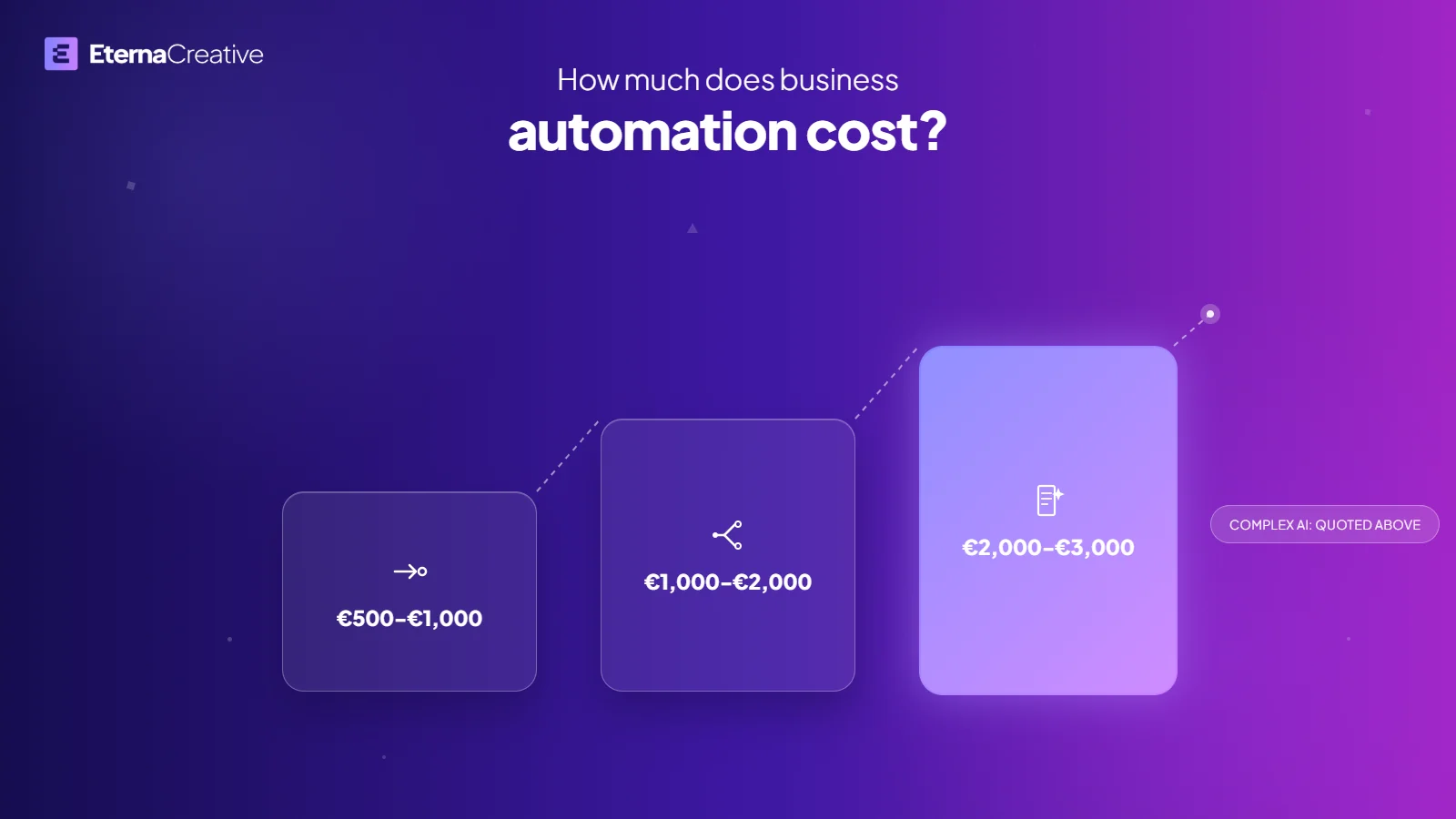
More on the program: Legal Operations for law firms. For what a single automation costs, see how much business automation costs in 2026.