A 98% accuracy figure for AI document extraction usually measures single fields, not whole documents. At 98% per field, a document with 20 fields comes through fully correct only about two times in three. The fix isn't a better number. It's a system that shows you which fields it isn't sure about.
AI document extraction is usually sold with an accuracy figure like 95%, 98% or 99%. The number is often real, and the impression it creates is often wrong. That gap is where document automation tends to fail quietly, and it's the reason we build every extraction system around human review of uncertain fields.
The arithmetic behind a 98% figure
If a system extracts 20 fields from a document at 98% accuracy per field, the chance that all 20 are correct is:
0.98²⁰ ≈ 66.8%
Two documents out of three come through clean, and one in three carries at least one error somewhere. The system doesn't tell you which one.
That calculation assumes errors are independent, which isn't always true, but the point holds: accuracy per field and reliability per document are different things.
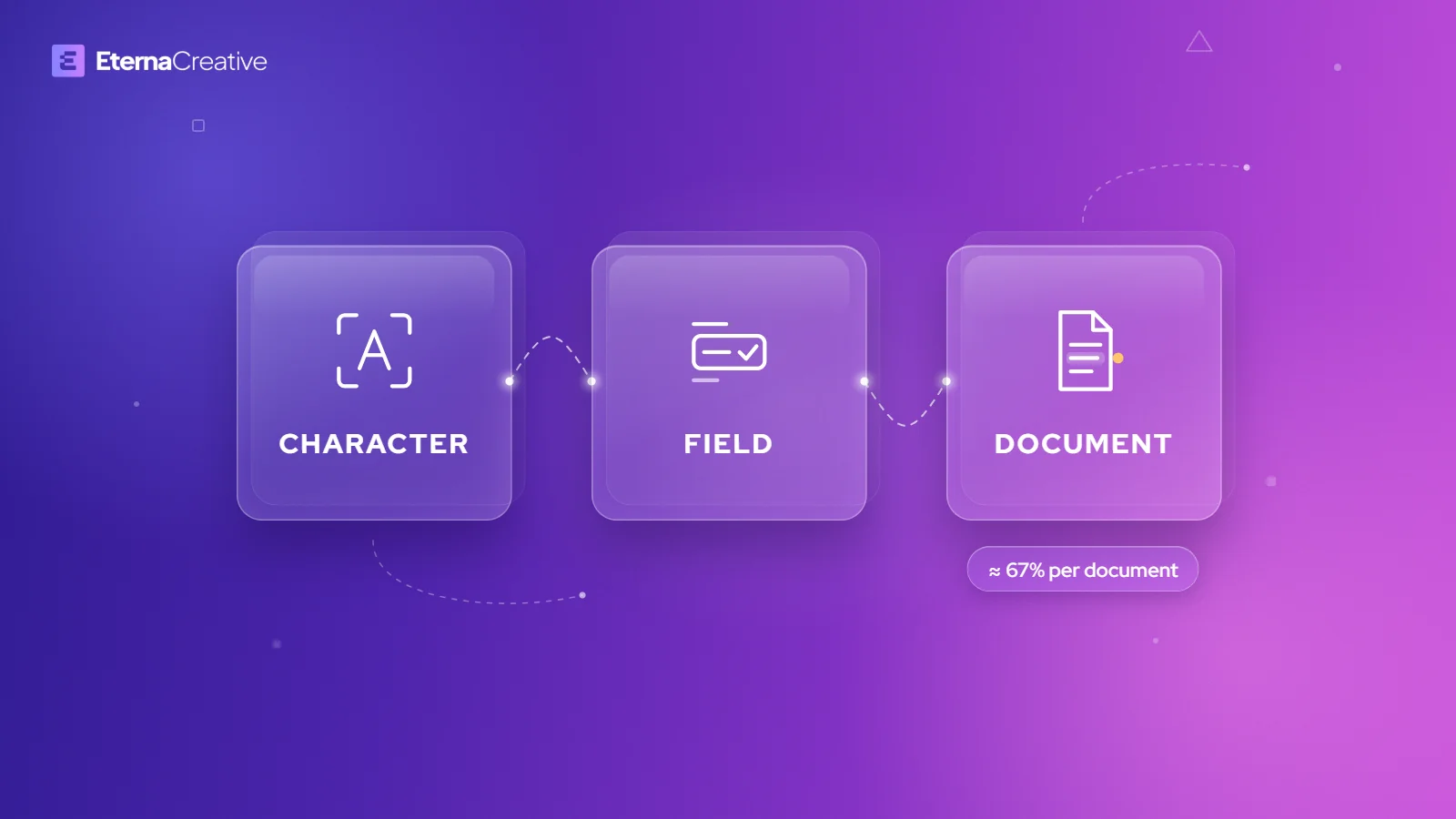
Three different numbers, all called "accuracy"
| Measure | What it counts | What it tells you |
|---|---|---|
| Character-level accuracy | Individual characters read correctly, usually on printed text | The easiest number to make look good, and the least useful for a decision |
| Field-level accuracy | Fields whose normalized value matches the correct value | The most quoted figure, and the most misunderstood |
| Document-level accuracy (touchless rate) | Whole documents that need no human correction | Whether you save time at all, and the number vendors rarely publish |
A system can do very well on the first two and still send a third of your documents to a person.
What independent research shows
Clean documents in a lab are not the documents arriving in your inbox, and accuracy drops as quality drops.
In a 2025 benchmark, researchers at Fraunhofer IAIS tested eight multimodal models on three open invoice datasets. The best model, Gemini 2.5 Pro, reached 96.5% accuracy on clean invoices, 92.7% on scanned invoices and 87.5% on scanned receipts (Berghaus et al., arXiv 2025).
The difference between 96% and 87% is the difference between a system that mostly works and one that needs constant supervision.
Vendor figures in the high 90s aren't necessarily false. They're usually not comparable, because the test set, the field definitions, the normalization rules, the sample size and whether human correction was included are rarely disclosed. A useful rule: an accuracy figure with no method behind it is marketing, not measurement.
The failure mode that should worry you
Traditional OCR fails loudly. When it can't read something, it returns an empty field, a partial string or a low confidence score, so you can see the failure and route it to a person.
Vision language models tend to fail quietly. When text is degraded, ambiguous or missing, a model can fall back on what usually appears in that position and return a complete, well-formatted value that isn't on the page.
Researchers built a benchmark to measure exactly this. KIE-HVQA, presented at NeurIPS 2025, tests models on degraded identity cards, invoices and prescriptions. The authors describe models producing content the image doesn't support, and report that their 7-billion-parameter model, trained to decline when the text is unreadable, achieved about a 28-point absolute improvement in hallucination-free accuracy over GPT-4o on that benchmark (He et al., NeurIPS 2025).
The fix wasn't a bigger model. The fix was teaching the model to say it couldn't read the text.
For most fields, a made-up value is an annoyance. For some, one wrong character invalidates the whole record:
- Vehicle identification numbers
- Registration and license numbers
- Invoice numbers and tax identifiers
- Bank account details
- Names, addresses and dates
- Legal case numbers
A fabricated value looks exactly like a correct one until someone checks it against the source.
What we saw in our own tests
We tested extraction for a freight company that prepares a specialized transport permit. The work is repetitive and high volume: read a set of vehicle documents, pull out the technical data, and fill in an official form.
Two findings stood out. The first was a field that wasn't on the document at all. The model returned a well-known trailer manufacturer, and on a second run it returned a different well-known trailer manufacturer, both plausible, both wrong, and both delivered with no sign of uncertainty.
The second was a vehicle identification number printed over a security pattern, hard to read even for a person. The model read it anyway and reported no hesitation.
Neither of these is unusual. It's expected behavior for a system asked to produce an answer when the honest answer is "I can't tell," and it changed how we build.
Confidence scores are not probabilities
The obvious response is to accept only high-confidence values. That works less well than it sounds.
ConfBench, a benchmark published in 2026, applied 20 degradation pipelines to documents, producing 1,346 variants and more than 70,000 field-level evaluations across seven vision-language models. The authors found that calibration varies widely, from near-perfect to severely overconfident, that parameter count is a poor predictor of calibration across model families, and that combining OCR text with the image gives more accurate confidence estimates than the image alone (Roy et al., arXiv 2026).
A reported confidence of 0.97 is not a 97% chance of being correct. Confidence thresholds become useful after you calibrate them on your own documents, measure how often high-confidence values are wrong, and set a threshold for each field type.
People aren't a perfect baseline either
It's tempting to treat manual data entry as the standard AI has to match. The research doesn't support that either.
A study in BMJ Open compared manually entered pathology data with the same data imported electronically. Across all fields, the manual error rate was 2.8%, individual fields ranged from 0.5% to 6.4%, and only 76% of patients' records were fully correct (Hong et al., BMJ Open 2013). That's clinical data, not freight documents, but the pattern carries over.
People and AI both make mistakes, and they make different ones. Human errors tend to be random and scattered, driven by fatigue. Machine errors tend to be systematic, repeatable and stated with full confidence, which makes them harder to spot. Neither is reliable enough to run unchecked.
How we build extraction you can trust
None of this argues against automation. It argues against automation that can't tell you when it's unsure. Four things make the difference.
Two models that fail differently. Running the same model twice tells you very little. Running two systems with different failure modes, such as different model families or a vision model alongside deterministic parsing, surfaces disagreement, and disagreement tends to point at errors. Research backs this up: a 2025 method that measures agreement across several vision-language models improved error detection by 42.1% (F1) over asking a model to judge the output (Consensus Entropy, arXiv 2025). Our own test points the same way: when we ran 14 AI models on real freight documents, the strongest model on scanned documents failed both digital ones, and no single model was clean everywhere.
Deterministic checks on top. A VIN has a fixed length and a check digit. A date has a valid range. A vehicle mass has plausible bounds. Rules catch what models miss, and rules don't invent values.
Flag instead of guessing. Our systems mark a field when the models disagree or the source is unreadable, and the draft is still produced. Nothing blocks, but the uncertain fields are visible, so a person checks those instead of re-reading everything.
A person approves before anything goes out. The system prepares and a person checks and sends. That's the design, not a limitation. How we build with AI explains the rest of the method.
The result isn't 100% accuracy, and nobody has that. The result is that when the system is wrong, you find out before your client does.
The gap in vehicle document research
Public benchmarks cover invoices and receipts well. Very little independent, multi-country testing exists for vehicle registration documents, even though EU Directive 1999/37/EC gives them a shared set of field codes.
The directive is often misread. It harmonizes the codes: A for the registration number, D.1 for the make, E for the vehicle identification number, F.1 for the maximum permissible laden mass, G for the mass in service, and P.2 for maximum net engine power. It doesn't harmonize the document. A certificate can be one part or two, and layouts, languages and optional fields differ between countries (Directive 1999/37/EC, EUR-Lex).
The codes are a strong anchor, so extraction transfers between countries more easily than you'd expect, but not automatically. Each country still needs its own layout handling and its own testing.
What to ask a vendor
If you're evaluating document automation for freight or any other operation, the accuracy figure is the least useful thing on the page. Ask these instead.
Is that field-level or document-level? If they can't answer right away, the number is marketing.
What happens when a field is unreadable? Ask them to show you, and watch whether the system returns a value or says it doesn't know.
Has your confidence score been calibrated on documents like mine? Not on their benchmark, on yours.
What did your testing get wrong? A vendor who has tested their system properly can answer this. A vendor who says everything works hasn't tested enough.
That last question is the one we'd want to be asked, and it's why this article exists.
FAQ
What does 98% accuracy mean in document extraction?
It usually means 98% of individual fields are extracted correctly. On a document with 20 fields, that works out to about 67% of documents with every field correct, assuming errors are independent.
What is the difference between field-level and document-level accuracy?
Field-level accuracy counts correct fields. Document-level accuracy, also called touchless rate, counts documents that need no human correction at all, and it's the number that decides whether automation saves time.
Why do AI models make up values in documents?
When text is degraded or missing, vision language models can fill in what usually appears in that position. Research such as the KIE-HVQA benchmark (NeurIPS 2025) measures this behavior on degraded identity cards, invoices and prescriptions.
Can I trust an AI model's confidence score?
Not without calibration. The ConfBench study (2026) found calibration ranges from near-perfect to severely overconfident depending on the model, so thresholds need testing on your own documents.
Is AI extraction more accurate than manual data entry?
They fail differently. A BMJ Open study found a 2.8% error rate in manually entered fields, while AI errors tend to be systematic and confident. The safest setup checks both with rules and human review.
How do you make AI document extraction reliable?
Compare two models that fail differently, add deterministic checks such as VIN check digits and valid date ranges, flag uncertain fields instead of guessing, and have a person approve before anything goes out.
AI document extraction is worth using, as long as the system tells you where it's unsure and a person checks those fields before anything leaves. If you want to see where extraction fits in your documents, and where it doesn't, book a free audit call.